
The Smart Report Maker Embed Manager makes it easy to embed dashboards, reports, charts, KPIs, and pivot tables—created in SRM using your MySQL databases—directly into any PHP-based application, securely and without writing any code, while still preserving full interactivity. Your users can drill down, filter data, and export results directly from within your application.
Moreover, whether you’re embedding private resources for authenticated users or public resources for wider access, the Embed Manager gives you complete control over permissions, access rules, customization options, and display settings.
Smart Report Maker offers two types of Access Keys when embedding private resources:
Grants access to all Smart Report Maker resources.
Grants access only to the resources assigned to a specific permission group (e.g., Sales, HR, Finance).
When generating an embed file for private resources, you must define where the embed is allowed to load from:
Choose this when Smart Report Maker and your PHP application are hosted under the same domain.
app.example.com and reports.example.comlocalhost during developmentUse this when your application is hosted on a different domain than SRM.
https://myapp.comhttps://portal.company.netAllows embedding from any domain without restriction.
The Embed Manager generates ready-made PHP (or HTML) files containing:
You simply download the file and place it in your PHP project. No manual coding is required.
From the Embed Preferences page, you can define global settings that apply to every embed file you generate. This saves time and ensures consistency across multiple embedded resources.
Within the Embed Preferences, you can customize the following options:
Add custom PHP that runs before the embedded content loads.
Common use cases include:
This is especially useful when embedding private resources across multiple files.
Add code that appears after the embedded content. Examples include:
Control how the resource is displayed by setting the width & height
Define how long the embed token remains valid when accessing private resources.
You can set the duration in minutes to balance usability and security.
Once embedded, your users can still:
Private resources are delivered through:
This ensures only authorized applications can access embedded content.
If you’re embedding resources into WordPress, you can use the SRM WordPress plugin, which comes with the Embed Manager.
Every time a private resource is accessed through an embed, the action is automatically recorded. You can view all access activity directly from the “Access Control Log” inside the Embed Manager. This gives you full visibility over:
This built-in logging feature adds an extra security layer and makes tracking and auditing private embeds effortless.
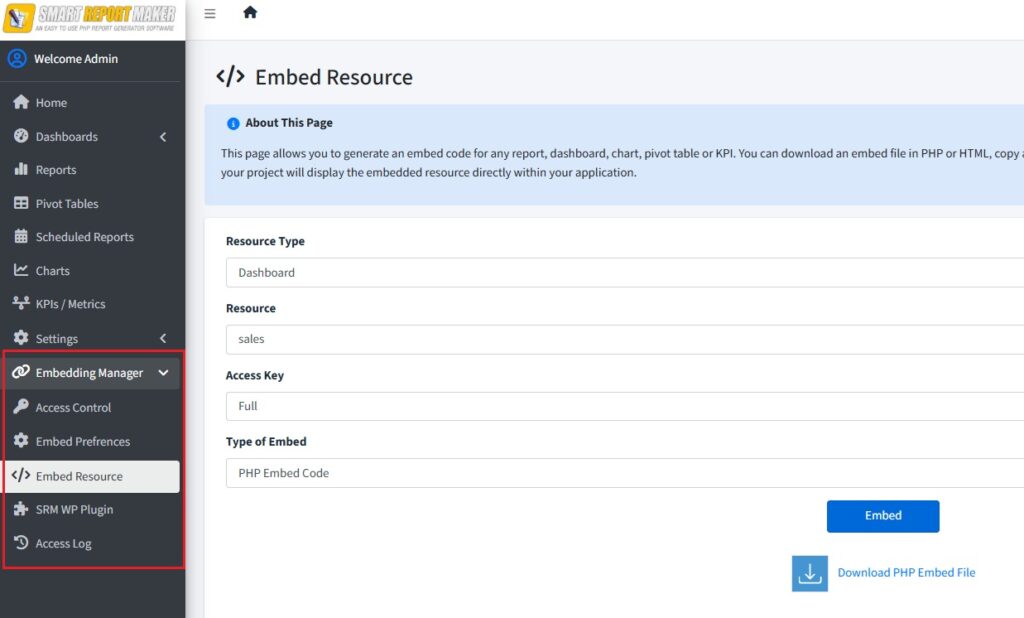
The Embed Manager of Smart Report Maker
For private embeds, make sure the embed files are placed in secured areas of your PHP application so they’re not accessed directly, but only by logged-in users. One way to enforce this is by adding your authentication check in the “Before Embed” section of the Embed Preferences. This ensures that each request is verified and any unauthorized user is redirected to your application’s login page before the resource loads. Since this code is added through the preferences, it will automatically apply to all embed files.
When creating an Access Key, make sure embedding is restricted to trusted locations by choosing one of the following:
Avoid using full-access keys whenever possible. Instead, create a limited Access Key and assign it to a permission group (e.g., Sales, Finance, HR) that already has access to the specific resources you plan to embed.
A: Yes. You can embed any type of resource created in Smart Report Maker—such as reports, dashboards, charts, pivot tables, and KPIs—into your own PHP applications.
A: Embedded dashboards and reports are fully interactive. Users can use filtering, linked reports, drill-down, search, paging, and sorting, just as they would inside Smart Report Maker.
A: No. Only the embedded resources (reports, charts, dashboards, pivot tables, and KPIs) are displayed. SRM menus and panels are not shown, and you can brand the embedded content with your own logo.
A: Yes. You can restrict embedding by configuring the origin settings:
Additionally, it is strongly recommended to use access keys that have permissions limited only to the specific resources you want to embed.
A: You can use a single Smart Report Maker installation to serve multiple applications or clients by creating a separate access key for each client or application. Each access key can:
Smart Report Maker also supports multiple database connections, allowing you to connect to and report on data from multiple sources within the same installation.
A: Yes. The embed script is a native PHP file and can be customized as needed. Clear comments in the file indicate where custom code can be safely added.
If you have shared code that should apply to all embedded resources, you can define it once in “Embed Preferences” under the “Embed Manager”, and it will be applied globally.