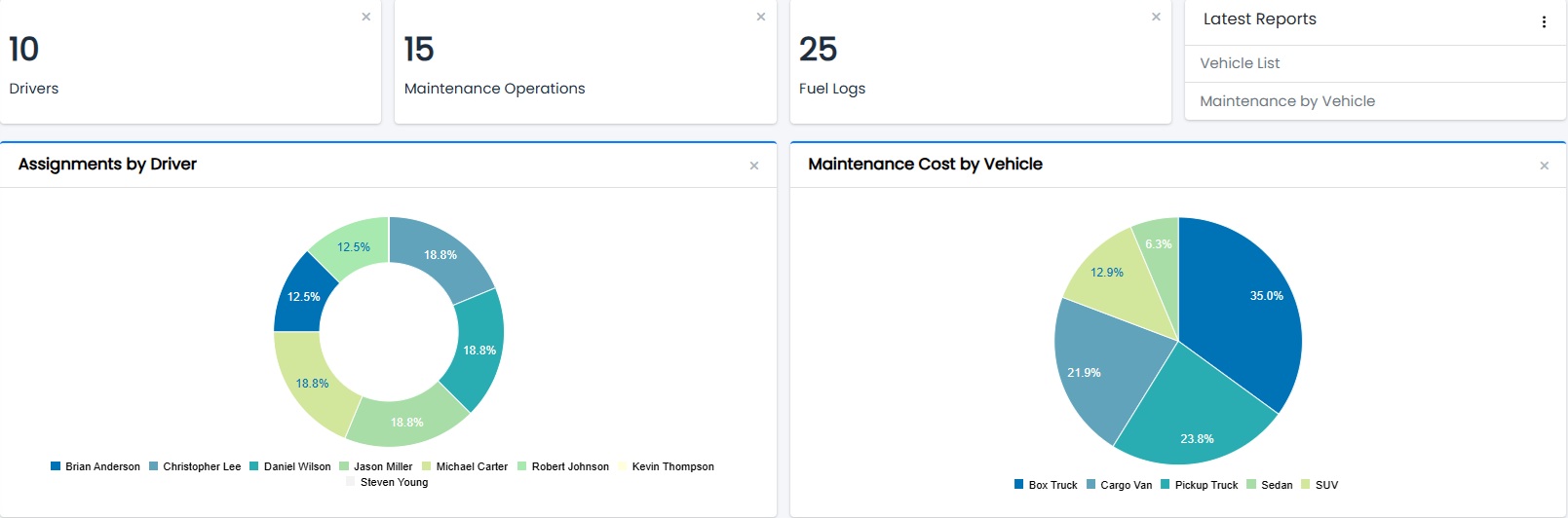
Smart Report Maker offers a powerful module for building PHP dashboards for MySQL and MariaDB through an intuitive, wizard-based editor. To begin with, dashboards are essential for decision-making because they provide a centralized view of metrics, trends, and performance indicators. Moreover, by placing key insights in one location, SRM dashboards help decision-makers quickly spot trends, track progress, and take informed actions. Whether you want to summarize sales data, analyze user activity, or visualize performance metrics, you can create professional PHP dashboards directly from your database — all without writing a single line of code.
With SRM, you can create and manage unlimited PHP dashboards. This works for both small businesses and large enterprises. You can design dashboards for different departments, projects, or reporting periods — all in the same platform.
Build fully tailored PHP dashboards by adding a wide range of widgets, including detailed reports, interactive charts, real-time KPIs, and dynamic pivot tables. Each widget is fully customizable, letting you highlight the data that matters most.
Every dashboard you create in SRM is powered directly by your MySQL or MariaDB databases — including data from any other connected applications. SRM becomes your central hub for consolidating and visualizing critical business data in real time.
SRM’s PHP dashboards are designed for exploration. You can drill down into any chart point, KPI value, pivot table cell, or report data to instantly see detailed information. You can also jump from any widget to a focused view containing only the details for that widget.
The built-in dashboard manager allows you to quickly modify, reorder, or remove existing PHP dashboards to keep your data visualizations relevant and up-to-date. Adding new dashboards is just as easy, thanks to SRM’s step-by-step, wizard-style interface.
Easily embed your PHP dashboards into any PHP-based application or WordPress site using the built-in Embed Manager. Embedded dashboards remain fully interactive — users can drill down, filter, and explore data directly from within your application with no extra fees.

A: No. Smart Report Maker allows you to create an unlimited number of dashboards. There is no cap on the number of dashboards you can build.
A: Yes. Dashboards you create are available within Smart Report Maker, and you can also use the Embed Manager to embed them in your own applications with no extra fees or per-request charges.
A: Yes. Users in Smart Report Maker are organized into groups, and access permissions can be configured so that each user is restricted to viewing only the dashboards assigned to their group.
A: Smart Report Maker dashboards support a variety of widget types, including charts, KPIs, reports, and pivot tables.
A: Yes. Smart Report Maker supports multiple database connections, allowing you to combine widgets in a single dashboard that pull data from different MySQL and MariaDB databases. This makes it easy to create unified dashboards that consolidate data from multiple systems.
A: Yes. Smart Report Maker dashboards are fully interactive. You can drill down from charts, KPIs, pivot tables, and report data to view detailed information for any selected data point, enabling deeper analysis and exploration.
A: Embedded dashboards and reports are fully interactive. Users can use filtering, linked reports, drill-down, search, paging, and sorting, just as they would inside Smart Report Maker.
A: Yes. A single Smart Report Maker installation can connect to multiple databases, allowing you to serve different clients or datasets from one centralized instance.
In summary, Smart Report Maker gives you everything you need to design, customize, and manage unlimited PHP dashboards for MySQL. With its wizard-based interface, interactive features, and direct database connections, you can turn raw data into clear, actionable insights in minutes. As a result, SRM becomes your go-to solution for creating professional dashboards that support smarter, faster decision-making.